JetBooking
Our take
A natural fit if your site already runs on Elementor and Crocoblock tools: JetBooking slots into JetEngine listings instead of forcing a separate booking system. Skip it if you want a standalone, page-builder-agnostic solution.
Good
- Deep Elementor and JetEngine integration
- Availability-based filtering out of the box
- Flexible booking forms without code
- WooCommerce-friendly checkout flow
Watch out
- Requires Elementor, not a standalone plugin
- Works best together with other Crocoblock plugins
Works well with
Running a rental or booking site on Elementor usually means bolting a standalone booking system onto pages that were never designed for it. JetBooking takes the opposite route: it lives inside the Elementor ecosystem, so the booking flow is built with the same widgets, listings and templates as the rest of the site. If you already design with Crocoblock tools, this WordPress plugin turns a static catalog into a bookable one without a rebuild.
JetBooking is aimed at property rentals, equipment hire, accommodation and any “pick dates, book the thing” scenario. Version 4.1.4 is available for download below, released under the GPL.
Key features of JetBooking
- Booking for Elementor listings. Combine JetBooking with JetEngine or JetThemeCore and existing item pages gain date pickers and reservation forms in a few clicks.
- Availability and attribute filters. Visitors narrow results by free dates and property characteristics, so they only see items they can actually book.
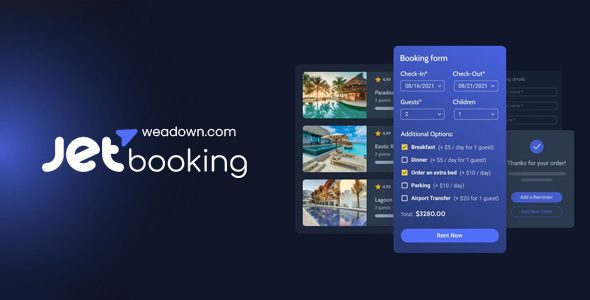
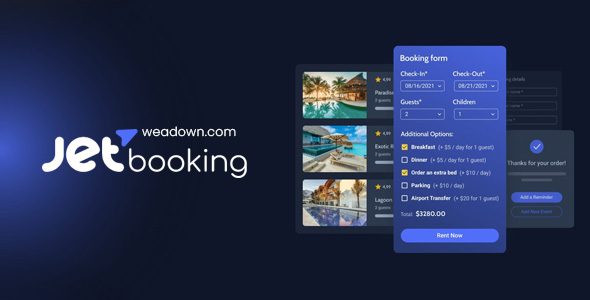
- Expandable booking forms. Forms collect exactly the data you need — guests, extras, notes — and everything lands in the backend for processing.
- Post-submit notifications. Customize the emails fired after a form is sent, hook in external services, and keep your schedule in sync automatically.
- WooCommerce checkout. Reservations can flow through WooCommerce, inheriting its payment gateways and order management.
Where JetBooking fits best
The plugin shines on directory-style builds: vacation rentals, car or bike hire, coworking desks, equipment lending. An agency building client sites on Crocoblock gets a repeatable pattern — design the listing once, attach booking behavior, hand over. Store owners who already sell through WooCommerce can add rental products without leaving the checkout customers know.
It is less suited to service businesses that need staff calendars, time-slot appointments and SMS reminders; a dedicated appointment plugin covers that better. JetBooking is about bookable items and date ranges, not hairdresser schedules.
How the booking flow works
You model your rentable items as a JetEngine custom post type, attach a booking form, and place JetBooking widgets in the single-item template. Guests choose dates, the form validates availability, and the request lands in your dashboard with a status you control. Automated notifications confirm the reservation to both sides, and external hooks let you push the booking into a calendar or CRM.
JetBooking free download: latest version
JetBooking 4.1.4 is available for download on this page under the GPL license. Grab the zip, upload it via Plugins → Add New → Upload Plugin, and activate it next to Elementor. Updates and compatibility follow the developer’s own release notes.
Install from the zip file
Download the zip on this page. In WordPress, go to Plugins, then Add New, then Upload Plugin. Choose the file, click Install Now, then Activate. Stuck? See our step-by-step guide to installing a plugin from a ZIP.
Does JetBooking work without Elementor?
No. JetBooking is built as an Elementor add-on, and its forms and widgets render through Elementor — it is not a standalone booking plugin.
Can visitors filter rental items by available dates?
Yes. Availability-based filtering is built in, so guests see only items free for their chosen dates, combined with property attributes like size or location.
How does JetBooking take payments?
Bookings route through WooCommerce, which means any WooCommerce-compatible payment gateway — cards, wallets, local methods — can handle the checkout.
Which plugins pair with JetBooking?
It is designed for the Crocoblock stack: JetEngine for custom item listings and data structures, and JetFormBuilder for the booking forms. The deeper into that ecosystem you are, the more the plugin gives back.
Is JetBooking free?
No, it is a commercial Crocoblock plugin with no free tier, sold on its own or as part of the Crocoblock suite.
JetBooking vs Amelia: which is better?
They serve different builders. Amelia is a standalone booking platform with a polished, self-contained interface that works anywhere. JetBooking is the choice when the site is already built on Elementor and Crocoblock, where it integrates with the listings and templates you already have. Pick the one that matches your stack.