Bookly Pro
Our take
One of the most mature booking plugins around: unlimited staff with individual schedules and prices, SMS/email templates, WooCommerce compatibility and a deep addon family. It assumes the free Bookly core. Very small sites may find the modular add-on approach fiddly.
Good
- Unlimited staff, services and categories
- Two-way Google Calendar sync
- Customizable email and SMS templates
- Customer base with notes and payment stats
- WooCommerce and PayPal integration
Watch out
- Requires the free Bookly core plugin
- Best features spread across paid add-ons
- Settings depth takes time to absorb
Works well with
- Google Calendar
- WooCommerce
- Zoom
- Stripe
- PayPal
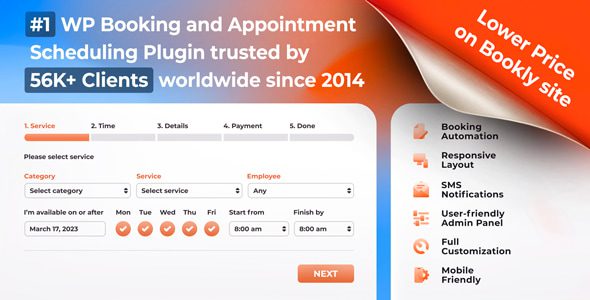
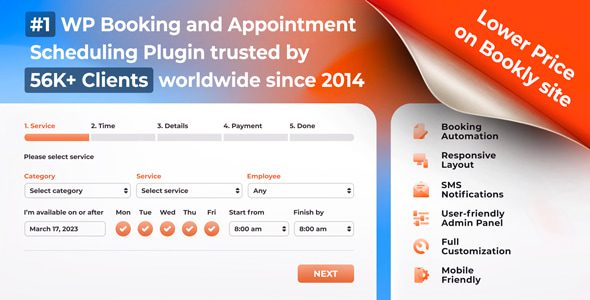
Bookly has been the default answer to “how do I take bookings on WordPress” for years, and Bookly Pro is what turns the free core into a complete scheduling business: unlimited staff, unlimited services, synced calendars, payments and a customer base with real history. Clients book on your site instead of calling — no phone tag, no double-bookings.
Bookly Pro 10.8 is available for download on this page under the GPL license, together with its addon family.
Key features of Bookly Pro
- Unlimited staff and services. Every staff member gets an individual schedule, prices, profile and personal booking calendar; services group into color-coded categories with per-service duration.
- Two-way Google Calendar sync. Changes in Bookly appear in Google Calendar and busy events flow back, keeping availability honest.
- Customer base with history. Unlimited clients with payment statistics, internal notes, optional linked WordPress accounts, and import/export of the whole list.
- Booking list and analytics. Filterable, sortable, searchable appointments that print or export to CSV, plus built-in booking statistics.
- Templates and forms. Email and SMS notification templates, a fully customizable mobile-friendly booking form, editable step layouts and field visibility.
- Payments. PayPal Express Checkout built in, WooCommerce compatibility for anything else.
About the addons on this page
The archive also includes the popular Bookly addons: Chain Appointments, Cart, Collaborative Services, Coupons, Custom Fields, Deposit Payments, Files, Invoices, Ratings, Recurring Appointments and Service Extras. They extend the core with shopping-cart multi-booking, deposits, invoices and repeat visits — install the ones your workflow needs.
Who Bookly Pro suits
Salons, clinics, tutors, repair services — any appointment business that outgrew a contact form. Multi-staff operations benefit most: each specialist manages their own calendar while the owner watches the analytics dashboard.
Bookly Pro free download: latest version
Bookly Pro 10.8 plus addons is available for download here under the GPL license. Install the free Bookly core, upload the Pro add-on via Plugins → Add New → Upload Plugin, and your booking form is live within the hour.
Install from the zip file
Download the zip on this page. In WordPress, go to Plugins, then Add New, then Upload Plugin. Choose the file, click Install Now, then Activate. Stuck? See our step-by-step guide to installing a plugin from a ZIP.
Does Bookly Pro work on its own?
No. Bookly Pro is an add-on that requires the free Bookly plugin — install the core first, then Pro layers the advanced features on top.
Does Bookly sync with Google Calendar?
Yes. Two-way synchronization reflects Bookly appointments in Google Calendar and Google Calendar events back into Bookly's availability, so personal plans block bookable time.
Can each staff member have their own schedule and prices?
Yes. Unlimited staff members get individual schedules, services and pricing, each with their own calendar sync.
Is Bookly free?
The core Bookly plugin is free and covers basic appointment booking. Bookly Pro unlocks unlimited staff and services, and the further specialties — deposits, coupons, custom fields — arrive through paid add-ons.
Bookly Pro vs Amelia: which is better?
Both are mature standalone booking systems. Bookly's strength is its enormous add-on library, so you buy exactly the features you need — the weakness is that the bill grows with each add-on. Amelia bundles more into the core purchase. Modular buyers favor Bookly; all-in-one buyers favor Amelia.
Why am I getting double bookings despite Google Calendar sync?
Check that the sync is genuinely two-way for every staff member, not just one-directional, and that buffer times around appointments are configured — most double bookings trace to a one-way sync or a missing buffer.