Booked
Our take
Choose Booked when you want appointments up and running in an afternoon: shortcode in, calendar out, no WooCommerce or page builder required. It suits clinics, tutors and consultants. Sites needing deep payment automation or staff payroll logic will outgrow it.
Good
- Standalone, no WooCommerce or page builder needed
- Shortcode and widget placement anywhere
- Customers manage their own appointments
- Guest booking without forced registration
- Clean, responsive calendar design
Watch out
- Last upstream update was a while ago
- Payment handling needs an add-on
- Fewer integrations than newer booking suites
Works well with
- WooCommerce
- Google Calendar
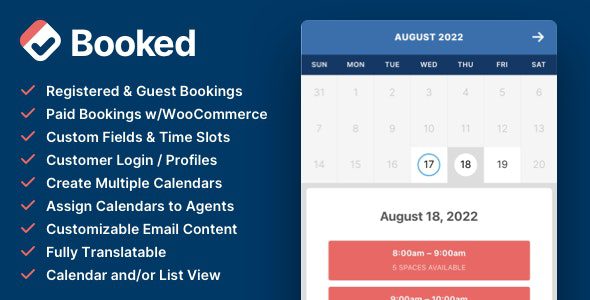
Some booking plugins want to be a whole business platform. Booked is refreshingly narrower: it puts a clean appointment calendar on any WordPress page and lets visitors claim a time slot — nothing more complicated than that. For solo consultants, tutors, small clinics and repair shops, that focus is exactly the appeal of this WordPress plugin.
Version 2.4.4 is available for download on this page under the GPL license.
Key features of Booked
- Calendar shortcode and widget. Drop the appointment calendar into any page, post or sidebar — no builder required.
- Custom time slots. Define your own slot lengths, plus vacation and closed dates that block themselves out.
- Custom fields. Collect the details each appointment type needs, from phone numbers to “reason for visit”.
- Appointment buffering. Prevent slots from being booked too close to the current moment, so you always get lead time.
- Customer self-service. Customers manage their appointments and account details from the front end; guest booking works without registration.
- Google Calendar buttons. One click adds a confirmed appointment to the customer’s own calendar.
- Multiple calendars and agents. Run separate calendars per staff member or service, each with its own rules.
- Customizable emails and colors. Notifications to you and your customers are editable, and color pickers match the calendar to your theme.
Who Booked suits
Booked fits service businesses that live by the hour: a physiotherapist with three treatment rooms, a language tutor, a barber, a small law office offering consultations. The back-end calendar gives staff a single screen to approve, reschedule or cancel, while the front end stays simple enough that non-technical customers finish a booking unaided. Everything is translatable, and both admin and front end are fully responsive.
If your model is renting items by the day, or you need inventory-aware checkout, a WooCommerce-based booking extension will fit better than an appointment calendar.
Getting started
Install the zip, create your first calendar, set the working hours and slot length, and paste the shortcode where the booking form should live. Most sites are taking appointments within the first hour. Color pickers and field settings come after, once the flow works end to end.
Booked free download: latest version
Booked 2.4.4 is available for download here under the GPL license. Upload the zip through Plugins → Add New → Upload Plugin, activate, and your first calendar is a minute away.
Install from the zip file
Download the zip on this page. In WordPress, go to Plugins, then Add New, then Upload Plugin. Choose the file, click Install Now, then Activate. Stuck? See our step-by-step guide to installing a plugin from a ZIP.
Do visitors need an account to book an appointment?
No. Guest booking lets anyone reserve a slot, while registered customers can additionally log in and manage their own appointments from the front end.
Can customers add bookings to Google Calendar?
Yes, the confirmation includes an Add to Google Calendar button, which quietly reduces no-shows.
Can I run several calendars with different booking agents?
Yes. Booked supports multiple calendars, each with its own agent, time slots and custom fields — one plugin covers a whole team.
Is Booked free?
No. Booked is a commercial plugin sold through CodeCanyon, with no free tier on the WordPress directory.
Does Booked take payments?
Not in the core plugin — paid appointments require the WooCommerce add-on, which routes bookings through the store checkout.
What are the best Booked alternatives?
Amelia is the polished standalone favorite with deep service booking features. Bookly Pro has a huge add-on ecosystem. LatePoint wins on interface design. BookingPress Pro is the newer contender with strong built-in payments. All four are actively maintained.