TranslatePress Pro
Our take
The friendliest way to make WordPress multilingual: translate what you see, directly on the page, instead of hunting strings in admin tables. The Business addons in this package add the serious parts — SEO per language, translator accounts, automatic language detection.
Good
- Visual front-end translation of entire pages
- 221 languages with automatic translation
- Image and media translation
- SEO pack for multilingual rankings
- Translator accounts and browse-as preview
Watch out
- Automatic translation quality varies
- Large sites need translation memory discipline
- Some dynamic strings need extra attention
Works well with
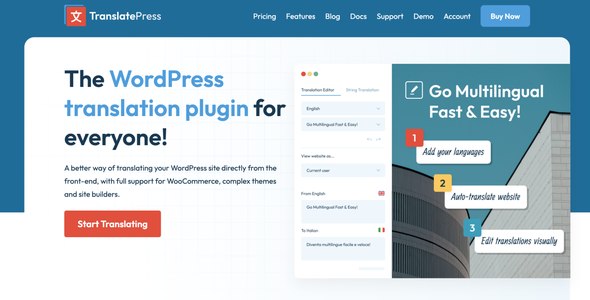
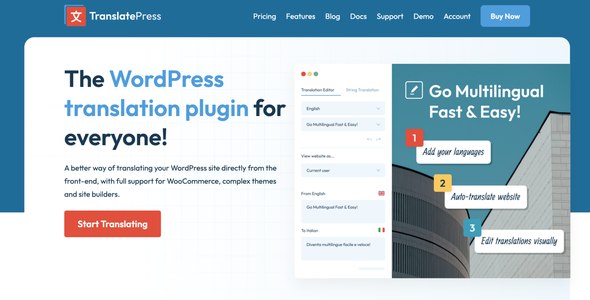
Most translation plugins make you translate in an admin table, guessing which string appears where. TranslatePress Pro inverts that: you browse your own site and translate what you see, in context, directly from the front-end. TranslatePress Pro 2.9.5 with the Business addons 1.8.8 is available for download on this page under the GPL license.
Translate the entire page, visually
The translation interface shows the page itself: click any text — content, menu, form placeholder, plugin output — and type the translation. This works across complex themes, site builders and WooCommerce, where string-based tools routinely miss output. Images translate too, so banners and graphics can differ per language. Automatic translation via machine services fills 221 languages as a starting draft, which editorial control then refines.
The Business addons included here
This package ships the Business-level addons: the SEO pack makes multilingual content rank — translated slugs, meta and social tags, sitemap support. Translator accounts let external translators work without admin access, Browse As previews the site as a visitor or a specific user role sees it, translation blocks show different content per language, and automatic user language detection routes visitors to their language based on browser settings.
Who it suits
Businesses that need a multilingual site without a translation workflow department, WooCommerce stores expanding to neighboring markets, and content sites where the owner translates personally and wants to see the result immediately. The customizable language switcher drops into menus or anywhere else.
TranslatePress Pro free download: latest version
TranslatePress Pro 2.9.5 with Business addons 1.8.8 is available for download here under the GPL license. Upload via Plugins → Add New → Upload Plugin, activate, choose your languages and start translating from the front-end.
Install from the zip file
Download the zip on this page. In WordPress, go to Plugins, then Add New, then Upload Plugin. Choose the file, click Install Now, then Activate. Stuck? See our step-by-step guide to installing a plugin from a ZIP.
Is TranslatePress free?
A free version exists in the WordPress directory and covers one extra language. TranslatePress Pro adds unlimited languages from its 221-language support, the SEO pack, translator accounts and the browse-as preview.
TranslatePress vs WPML: which is better?
WPML is the established translation management system — powerful, string-oriented, with a steeper setup. TranslatePress translates visually from the front end: you see the page and translate what you see. Teams that think in pages lean TranslatePress; translation agencies lean WPML.
TranslatePress vs Polylang Pro: which is better?
Polylang structures content per language without a visual editor; TranslatePress offers the visual editor plus automatic translation built in. Hands-off translation favors TranslatePress.
Does TranslatePress support automatic translation?
Yes — machine translation through Google Translate or DeepL fills in the base, which you then correct visually. Quality varies, so plan review time.
Can it translate images and media?
Yes — different images can be shown per language, useful for screenshots and graphics containing text.
Is TranslatePress good for multilingual SEO?
The Pro SEO pack handles translated slugs, meta and social tags, so each language can rank on its own.
How do I update TranslatePress Pro?
Premium plugins update by replacing the plugin files with the new zip — translations live in the database and survive. Our manual update guide walks through it: https://plugindock.pro/how-to-update-premium-wordpress-plugin-manually/