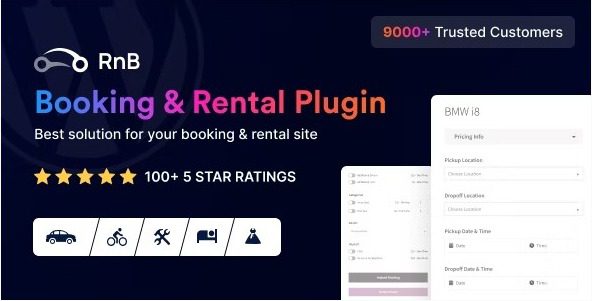
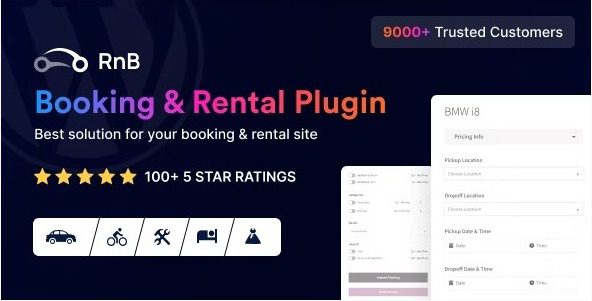
RnB – WooCommerce Booking & Rental Plugin
Our take
A rental engine first and foremost — cars, bikes, dresses, tools, gadgets — with pricing depth (per-hour to per-month, range discounts) that generic booking plugins lack. The admin is dense; budget time for the pricing matrix before judging it.
Good
- Hourly, daily, day-range and monthly pricing
- Rental-length discounts on any plan
- Pickup/return locations with extra cost
- Prepayment and payment-due handling
- Date blocking and availability control
Watch out
- Requires WooCommerce
- Pricing matrix takes careful setup
- Interface density can overwhelm at first
Works well with
- WooCommerce
- Google Calendar
- PayPal
Renting things is not the same as selling them: the price depends on how long, availability changes by the hour, and someone has to know where the item goes back to. RnB – WooCommerce Booking & Rental Plugin builds that entire rental logic into WooCommerce products, so cars, bikes, dresses, tools and gadgets rent out with the checkout your store already runs.
Version 18.0.8 of this WordPress plugin is available for download on this page under the GPL license.
Key features of RnB
- Five pricing configurations. General, hourly, daily, day-range and monthly plans per product — with discounts on any plan based on rental length, so a week costs less per day than a day.
- Locations and logistics. Pickup and return locations, each with an optional extra cost, plus date blocking and availability control per item.
- Money handling. Prepayment at booking, a payment-due feature for the balance, an invoice system, and PayPal, bank transfer or credit card payments; unlimited payable persons and resources price group rentals correctly.
- Communication. Confirmation emails plus processing, completed, on-hold, cancelled and refund notifications to customers, and instant new-order alerts to the admin.
- Visibility. Full calendar and Google Calendar order reports for the admin, product attributes and features without limits, three date formats, and multilingual readiness.
Who it suits
Vehicle rental (with car availability control), tool and equipment hire, costume and dress rental, gadget subscriptions — any catalog where the same item sells many times. Local settings per product override global ones, so a mixed catalog coexists peacefully.
Free download: latest version
RnB 18.0.8 is available for download here under the GPL license. Install over WooCommerce, convert a product to a rental, and configure its first pricing plan — the calendar takes bookings from there.
Install from the zip file
Download the zip on this page. In WordPress, go to Plugins, then Add New, then Upload Plugin. Choose the file, click Install Now, then Activate. Stuck? See our step-by-step guide to installing a plugin from a ZIP.
What pricing models does RnB support?
General, hourly, daily, day-range and monthly configurations, each with optional discounts based on rental length — so a week-long hire can cost less per day than a single day.
Can I take a deposit at booking?
Yes. Prepayment can be required during booking, and the payment-due feature tracks the remaining balance until it is settled.
Can renters pick up and return at different locations?
Yes. Pickup and return locations are supported, each with its own optional extra cost — airport pickup with downtown return prices itself.
Can I block dates when items are unavailable?
Yes. Date blocking and availability controls handle maintenance windows, holidays and items already committed elsewhere.
Is RnB free?
No. It is a commercial plugin sold through CodeCanyon, with no free tier on the WordPress directory.
RnB vs WooCommerce Bookings: which is better?
RnB is purpose-built for rental: pickup and return locations, rental-length pricing tiers and inventory-style date blocking are native. WooCommerce Bookings is the official general-purpose extension, better suited to appointments and classes. Renting physical items favors RnB; selling time favors Bookings.
The pricing matrix is confusing. How should I set it up?
Build the rules on a single test product first: base rate, then one length discount, then one location charge. Verify the math at checkout for several date combinations before replicating the pattern across the catalog.