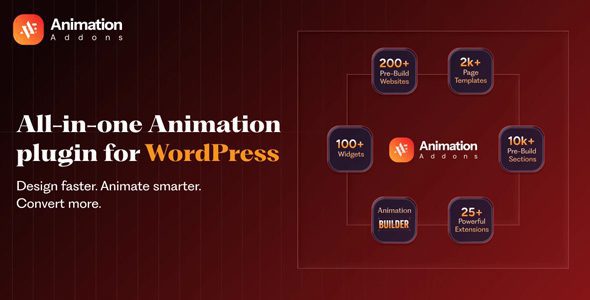
Animation Addons for Elementor
Our take
The fastest way to add credible motion design to an Elementor site without hiring a front-ender. Worth it for landing pages and portfolios; restraint required — effects are cheap to add and expensive for mobile performance.
Good
- True GSAP-powered motion from a visual interface
- Scroll pinning and reveals without writing code
- Live preview right inside the Elementor editor
- Per-breakpoint controls protect the mobile experience
Watch out
- Does nothing without Elementor installed
- Heavy effect stacking hurts Core Web Vitals on phones
- No automatic updates without a license key
Most Elementor pages feel static: scroll, read, scroll, read. Animation Addons for Elementor changes that without touching code — it wires the GSAP animation engine into Elementor’s panel, so scroll-triggered reveals, pinned sections, animated headlines and cursor-following images become point-and-click settings instead of a JavaScript project.
What it does
The plugin adds an animation layer to any Elementor section, column or widget. You pick a trigger (scroll position, hover, cursor), pick an effect, and tune timing from familiar sliders. A live preview inside the editor shows the result before you publish, which saves the usual save-refresh-squint loop.
Key features
- Scroll-triggered pinning of any Elementor section, configured visually — no code
- Built on GSAP ScrollTrigger, so motion stays smooth under load
- Text animations by character, word or block: slide, fade, scale, 3D spin, staggered reveals
- Image reveal and zoom effects that play as the visitor scrolls
- Cursor-follow and mouse-move animations for interactive storytelling sections
- Separate settings per breakpoint to keep mobile motion subtle
- Ready-made templates and sections to start from instead of a blank canvas
- Enable or disable effects from inside the Elementor editor
Who it’s for
Landing pages, portfolios, agency and product sites where motion is part of the pitch. It pairs naturally with layout tools like Elementor Pro. Skip it for utilitarian projects — dashboards, documentation, dense stores — where animation is decoration nobody asked for.
Things to know
Motion has a performance budget. GSAP is efficient, but stacking pinned sections, staggered text and cursor effects on one page will show up in Core Web Vitals, especially on budget phones. Use the per-breakpoint controls to tone mobile down, and measure with PageSpeed after designing, not before.
Elementor required. This is an add-on and does nothing on its own.
License notes. The animation engine works fully without a key; the vendor’s update channel and support are the paid part, so updates from this page are manual.
Three effects worth starting with
Headline reveal. A word-by-word fade on your H1 is the cheapest credibility upgrade in the plugin — visible within five seconds, lightweight, and it works on every landing page template you already have.
Scroll-pinned section. Pin a product shot or a key message while supporting text scrolls beside it. This is the effect visitors associate with expensive custom sites, and here it is a toggle plus a duration slider.
Image zoom on scroll. A slow scale on a hero or portfolio image adds depth without demanding attention. Keep the zoom subtle; the moment visitors consciously notice the effect, it is too strong.
Editor experience
Because every effect previews live inside Elementor, iteration is fast: adjust the trigger offset, watch it, move on. The panel groups settings by trigger type, so the option you need is rarely more than one accordion away. Animations can also be disabled per element directly in the editor — useful when a client says “everything, except this bit”.
Animation Addons free download: latest version
Get Animation Addons for Elementor 2.6.6 free below, redistributed under the GPL. The package passed ClamAV and heuristic scans and a sandbox test install before going live. No activation key needed for the animation features.
Install from the zip file
Download the zip on this page. In WordPress, go to Plugins, then Add New, then Upload Plugin. Choose the file, click Install Now, then Activate. Stuck? See our step-by-step guide to installing a plugin from a ZIP.
Is Animation Addons for Elementor free?
It's a premium add-on. This page provides it free under the GPL — the complete animation toolkit, without the vendor's auto-updates and support channel.
Does Animation Addons work with free Elementor?
Yes. It extends the free version of Elementor; Elementor Pro is a good companion but not a requirement.
Do I need to know JavaScript or GSAP to use it?
No. Triggers, effects and timing are all configured through Elementor panel controls with a live preview, though the output is powered by GSAP under the hood.
Will animations slow down my site?
GSAP is one of the lightest serious animation engines, but every effect costs something. Keep heavy pinned and cursor effects off mobile using the breakpoint settings and verify with PageSpeed Insights.
Can I animate text and images, or only whole sections?
All three. Sections can be pinned or revealed, headlines animate by character or word, and images get scroll-reveal, zoom and cursor-follow behaviors.
How do I update the plugin?
Download the new zip here and upload it over the current install via Plugins → Add New → Upload. Your animations and settings are kept in the database.