Our take
The most flexible directory engine in the theme market: instead of one listing format, you design each listing type — fields, preview box, search facets, single page — through a dedicated builder. Elementor-based, so page design skills transfer.
Good
- Listing type builder with unlimited custom types
- 50+ Elementor widgets for front-end design
- Custom fields, preview boxes and search facets per type
- WooCommerce and WP Job Manager integration with paid listings
- Front-end user dashboard with bookmarks and reviews
Watch out
- Flexibility means design decisions up front
- Elementor required for page building
- Power features reward patience, punish haste
Works well with
- Elementor
- WooCommerce
- WP Job Manager
- Contact Form 7
About this theme
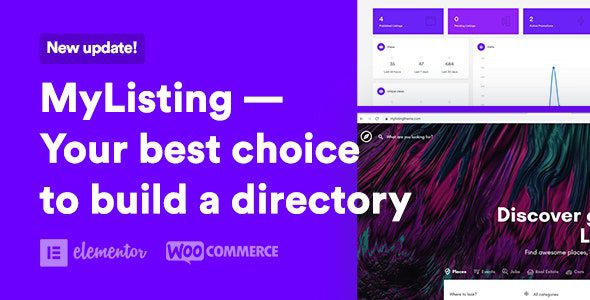
Most directory themes decide for you: this one is for restaurants, that one for real estate. MyListing refuses to choose — its listing type builder creates unlimited directory types, each with its own fields, design and search logic, on one installation. Version 3.2 is available for download on this page under the GPL license.
The listing type builder is the product
Everything in MyListing hangs off the type builder. Each listing type gets its own custom fields through a powerful field editor, its own single-listing profile layout, its own preview box design for search results, and its own explore page with custom facets. A restaurant type can carry cuisine, price range and opening hours while an events type carries dates and venues — same site, same search infrastructure, completely different data models. This is the feature that turns one theme purchase into unlimited directory projects.
Design on the front end with Elementor
Pages are built in Elementor, extended with over fifty custom widgets for listings, maps, search forms and categories — designed on the front end where you watch the result come together. Background video and parallax images, carousels and galleries, custom headers and footers: the design layer is full-strength Elementor, not a locked-down subset. A shortcode generator with custom shortcodes covers the spots outside the builder’s reach.
Search and discovery done seriously
The search facet editor is unique per listing type, so filters always match the data users actually search by. Instant search sits in the header, listing quick view previews results without leaving the page, and Google Maps integration includes custom markers, location previews and marker clustering for dense catalogs. Reviews, ratings and bookmarking give the community layer that turns a directory from a database into a destination.
Users, dashboards and money
Front-end users get a customized dashboard for managing their listings, bookmarks and submissions without touching wp-admin. Monetization runs through WooCommerce with WP Job Manager integration and WC Paid Listings support — paid submissions, listing packages and featured placement are established patterns the theme implements natively. User sign-in and registration are built in, and users can request to add their own products.
Modern engineering underneath
MyListing is built with the Vue.js framework for its interactive layer, on a Bootstrap responsive base, with clean and well-structured code — an unusual stack for a WordPress theme, and the reason its search and explore pages feel like an application rather than a website. Translation readiness, one-click demo import and detailed listing-related widgets round out the package.
One install, many directories
The type builder changes the economics of directory projects. An agency can prototype a client’s directory in days — define the fields, design the preview box, wire the facets — then reuse the hard-won patterns on the next client in a different niche, because the system underneath is identical. A solo founder can run two or three niche directories from one installation while testing which gains traction, without multiplying license and maintenance costs. Few WordPress products compress that much experimentation into a single theme — and none makes the experiment this cheap to run.
Who it suits
Builders of niche directories — local guides, real estate catalogs, job boards, event listings, service marketplaces; agencies that deliver directory sites to clients repeatedly; and founders testing a directory idea who need the data model to bend without a developer on call.
FAQ
What kinds of directory sites can MyListing build?
Any kind — the listing type builder creates unlimited listing types (restaurants, real estate, jobs, services, events), each with its own fields, design and search filters.
Which page builder does it use?
Elementor, extended with over fifty custom widgets for listings, maps, search and categories.
How does monetization work?
Through WooCommerce and WP Job Manager integration, with WC Paid Listings support for paid submissions and listing packages.
Do users get their own dashboard?
Yes. A customized front-end dashboard lets users manage listings, bookmarks and submitted products without touching wp-admin.
Is the latest version available here?
Yes, MyListing 3.2 is available for download on this page under the GPL license.
MyListing free download: latest version
MyListing 3.2 is available for download here under the GPL license. Upload via Appearance → Themes → Add New → Upload Theme, activate, and design your first listing type — fields, preview and search — in the type builder.
FAQ
Is MyListing free?
No. MyListing is a premium directory theme by 27collective.
What can MyListing build?
Any directory — the listing type builder creates unlimited listing types with custom fields, preview boxes and search facets per type.
MyListing vs Listeo: which is better?
MyListing is the flexible toolkit — you design the directory's data model yourself on Elementor. Listeo is the opinionated all-in-one with booking and messaging built in. Unique directory concepts lean MyListing; rental-booking directories lean Listeo.
How does MyListing monetize a directory?
Through WooCommerce — paid listing packages — plus WP Job Manager integration for job-type directories.
What builder does MyListing use?
Elementor, with over fifty custom widgets for the front-end design. Elementor is required, not optional.
What do listing owners get?
A front-end dashboard with bookmarks, reviews and listing management.
What should I know before starting with MyListing?
Flexibility means design decisions up front — the data model, the facets, the submission flow. The power features reward patience and punish haste.