Checkout Field Editor Pro for WooCommerce
Our take
The tool you install the day the default checkout cannot collect what your business needs — gift messages, delivery notes, tax IDs. Conditional display keeps forms short. Stores happy with the stock checkout simply do not need it.
Good
- 17 custom field types
- Conditional display for fields and sections
- Price fields that adjust order total
- Controls default WooCommerce fields too
- WPML and Zapier friendly
Watch out
- WooCommerce required
- Powerful conditions demand testing per gateway
- Easy to over-build the checkout if unrestrained
Works well with
- WooCommerce
- WPML
- Zapier
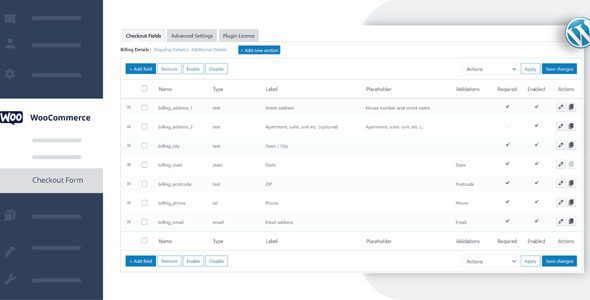
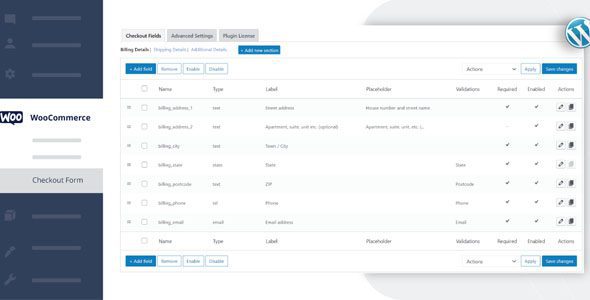
The default WooCommerce checkout asks for an address and nothing else. Real stores need more: a delivery date, a gift note, a VAT number, a “how did you hear about us” line. Checkout Field Editor Pro turns that rigid form into something you design — 17 field types, conditional logic and price-aware fields, all without touching a template file.
Version 3.7.8 of this WordPress plugin is available for download on this page under the GPL license.
Key features
- 17 custom field types. Text, select, date picker, file upload and more, each with custom validations and your own CSS classes for styling.
- Sections anywhere. Custom sections can sit at 15 different positions on the checkout page, so extra questions land exactly where they make sense.
- Conditional display. Fields and sections appear only when relevant — based on the cart, the chosen shipping option or the payment method.
- Price fields. Charge for gift wrapping, engraving or rush handling with a set of price types that adjust the order total automatically.
- Full control of defaults. Customize, disable, delete or reorder the standard WooCommerce fields, and change how addresses display.
- Data where you need it. Manage whether each field shows in emails, order detail pages and optionally the My Account page.
- Plays well with others. Compatibility work with other plugins, Zapier support, WPML compatibility, developer hooks, and a one-click reset.
Who it suits
B2B stores collect company IDs and PO numbers conditionally. Gift and print shops attach engraving text and price it automatically. Any store tired of order notes doing the work of structured data gets clean, validated input instead — and developers keep hooks to extend further when a client asks for something unusual.
Free download: latest version
Checkout Field Editor Pro 3.7.8 is available for download here under the GPL license. Install it over WooCommerce, open the checkout form designer, and drag your first field into place — the change is live immediately.
Install from the zip file
Download the zip on this page. In WordPress, go to Plugins, then Add New, then Upload Plugin. Choose the file, click Install Now, then Activate. Stuck? See our step-by-step guide to installing a plugin from a ZIP.
Can I add conditional fields to the WooCommerce checkout?
Yes. Fields and whole sections can appear only when your conditions match — for example by the chosen shipping method or payment gateway — so every customer sees a checkout shaped to their order.
Can a checkout field change the order price?
Yes. Price fields add fees or surcharges based on the customer's input, with several price types — gift wrap, rush handling and similar charges live naturally here.
Can I edit the default WooCommerce fields?
Yes. The default billing and shipping fields can be relabeled, reordered, hidden or made optional, alongside the 17 custom field types the plugin adds.
Is there a free version of Checkout Field Editor?
Yes. The free Checkout Field Editor for WooCommerce covers adding and editing basic fields in the billing, shipping and order notes sections. The Pro edition adds conditional logic, the full field-type list and price fields.
Checkout Field Editor Pro vs Flexible Checkout Fields Pro: which is better?
Both reshape the WooCommerce checkout well. ThemeHigh's editor offers the larger field-type library and price-field variety, while Flexible Checkout Fields Pro from WP Desk earns praise for a cleaner interface. Conditional-heavy checkouts work in either — the choice usually comes down to which UI you prefer.
Why doesn't my custom field appear in order emails?
Field display in emails and order details is controlled separately from the checkout display. Check the field's display settings for the email and order-received locations — a new field is invisible there until you enable it.