Eventin Pro
Our take
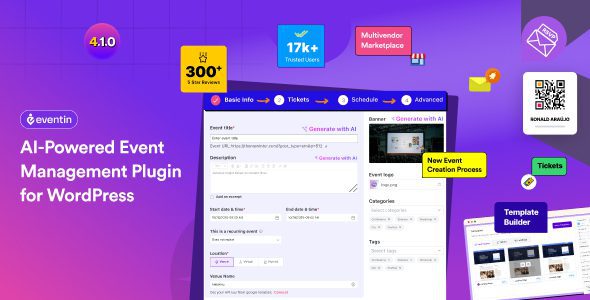
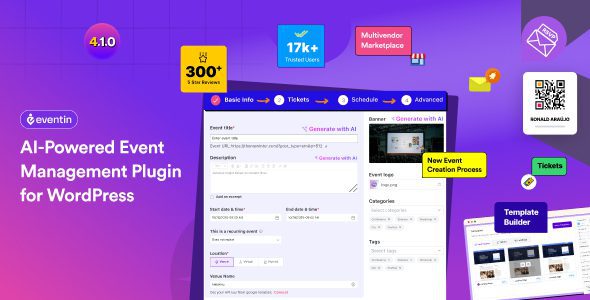
A full event stack — scheduling, ticketing, QR check-in, Zoom — without gluing five plugins together. Suits conference, workshop and webinar organizers who sell through WooCommerce. A simple meetup listing site will never touch half the features.
Good
- Ticketing and payments via WooCommerce or Stripe
- QR-code attendee check-in
- Recurring events and schedule management
- Zoom webinar synchronization
- Multivendor event marketplace support
Watch out
- Feature list is huge, setup takes a while
- Best experience assumes WooCommerce
- Some templates need CSS tweaks per theme
Works well with
- WooCommerce
- Zoom
- Elementor
- Google Calendar
- Stripe
Selling event tickets from WordPress usually means stitching together a calendar plugin, a form plugin, a payment plugin and a prayer. Eventin Pro collapses that stack into one WordPress plugin: events, schedules, speakers, ticket tiers, QR-code check-in and even Zoom webinars live under a single dashboard, with WooCommerce handling the money.
Eventin Pro 4.1.23 is available for download on this page under the GPL license.
Key features of Eventin Pro
- Complete event management. Unlimited single or multiple events with calendar views, countdown timers, venues on Google Maps, speaker and organizer showcases, and event-specific banners and FAQs.
- Recurring events. Weekly classes or monthly meetups repeat automatically while keeping separate attendee lists.
- Ticketing that converts. Multi-tier ticket pricing, min–max purchase limits, WooCommerce coupons, extra service add-ons, and invoice printing for buyers.
- QR-code attendee management. Each attendee receives a unique code; one click at the door updates ticket status.
- Payments your way. The WooCommerce payment system or direct Stripe integration, with purchase history on the customer’s dashboard.
- Marketing and automation. FluentCRM and Groundhogg integrations, Pabbly and Zapier hooks, Twilio SMS order notifications, and analytics on every event.
- Online and hybrid ready. Synchronized Zoom webinars and meetings, timezone support, and personal-calendar sync for attendees.
Who Eventin Pro suits
Conference and workshop organizers get ticketing, schedules and speaker pages out of the box. Course creators running live Zoom cohorts can sell seats and deliver join links automatically. Agencies appreciate the DIVI addon, 40 listing widgets, template overrides for developers and WPML compatibility — a client-ready event site without custom code. The multivendor marketplace mode even lets third parties submit and sell their own events.
Eventin Pro free download: latest version
Eventin Pro 4.1.23 is available for download here under the GPL license. Upload via Plugins → Add New → Upload Plugin, activate, and the setup wizard walks you through your first event, ticket tier and payment connection.
Install from the zip file
Download the zip on this page. In WordPress, go to Plugins, then Add New, then Upload Plugin. Choose the file, click Install Now, then Activate. Stuck? See our step-by-step guide to installing a plugin from a ZIP.
Can I sell event tickets with Eventin Pro?
Yes. Tickets sell through WooCommerce or Stripe with multi-tier pricing, coupons and purchase limits per attendee — early bird and VIP tiers are native concepts, not workarounds.
Does Eventin support recurring events?
Yes. Events repeat on a schedule you define, and each occurrence carries its own tickets and attendee list.
How does attendee check-in work?
Every ticket carries a unique QR code. Staff scan it at the door or update the ticket status with one click, and duplicate entries are caught automatically.
Does Eventin work with Zoom?
Yes. Webinars and Zoom meetings sync with events so registrants receive their join links automatically after booking.
Is Eventin free?
A free version exists on the WordPress directory covering basic events and ticketing. Eventin Pro adds recurring events, QR check-in, multi-tier tickets, the Zoom integration and the multivendor marketplace features.
Eventin vs Modern Events Calendar: which is better?
Modern Events Calendar is the stronger choice for beautiful calendar views and design flexibility. Eventin pulls ahead on the ticketing workflow — WooCommerce payments, QR check-in and Zoom webinars feel more integrated. Design-led event sites lean MEC; ticket-driven event businesses lean Eventin.
Why aren't ticket confirmation emails arriving?
The tickets are issued through WordPress mail, which many servers deliver poorly. Route site mail through an SMTP plugin such as WP Mail SMTP or FluentSMTP with a real mail provider — and remind buyers to check spam for the first confirmation.