Custom User Registration Fields for WooCommerce
Our take
Turns registration from a two-field form into an application process: B2B approval workflows, invitation codes, file uploads, per-role forms. Wholesale and membership stores get real value; a simple retail shop should keep registration light.
Good
- Drag-and-drop form builder
- Manual or automatic registration approval
- Multiple forms for different customer types
- Multi-step layouts and file uploads
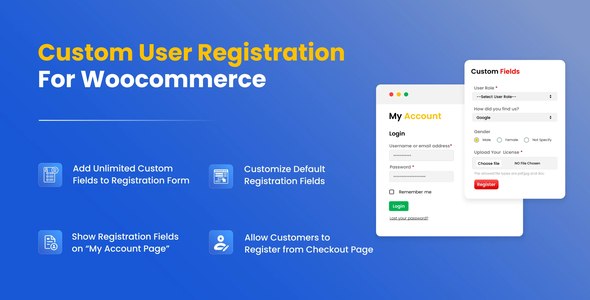
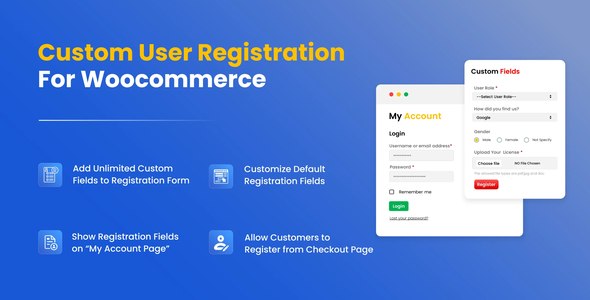
- Fields show on My Account and checkout
Watch out
- WooCommerce only
- Long forms need restraint to convert
- Approval workflow means inbox discipline
Works well with
- WooCommerce
- Dropbox
The default WooCommerce registration asks for an email and calls it done. Wholesale stores, membership sites and B2B platforms need an application: company details, documents, role selection, human approval. Custom User Registration Fields for WooCommerce is the drag-and-drop builder that creates exactly that.
Version 2.2.5 of this WordPress plugin is available for download on this page under the GPL license.
Key features
- A real form builder. Drag-and-drop fields — lists, autocomplete, dates, checkboxes, radios, surveys, signatures, file uploads — with headings, paragraphs and per-field help text, placeholders and limits.
- Approval workflow. Review registration requests manually or approve automatically, choose the default role for approved users, and require an invitation code when registration should stay closed.
- Multiple forms, multiple audiences. Different customer types get different forms; multi-step layouts break long applications into sections; a shortcode embeds any form anywhere, and it can replace the default registration entirely.
- Store integration. Billing and shipping fields join the registration page, custom data displays on My Account and checkout, ReCaptcha blocks bots, and Dropbox integration stores what users submit.
- Polish controls. Password strength indicator and show-password toggles, custom CSS, and redirects after registration.
Who it suits
B2B and wholesale shops vetting dealers, clubs and associations collecting member data, any store where “create account” should really mean “apply”. Retail stores chasing frictionless signup should stay minimal instead.
Free download: latest version
Custom User Registration Fields for WooCommerce 2.2.5 is available for download here under the GPL license. Upload via Plugins → Add New → Upload Plugin, activate, and build your first form in the registration builder.
Install from the zip file
Download the zip on this page. In WordPress, go to Plugins, then Add New, then Upload Plugin. Choose the file, click Install Now, then Activate. Stuck? See our step-by-step guide to installing a plugin from a ZIP.
Can I approve registrations manually?
Yes. Registration requests can be approved or rejected manually or automatically, with a default role assigned to approved users — the standard pattern for B2B and wholesale stores.
Can different customer types get different registration forms?
Yes. Multiple custom forms serve different audiences — retail versus wholesale, for example — with fields, approval rules and roles configured per form.
What field types can I add?
The drag-and-drop builder covers the practical range, including file uploads and multi-step layouts, and the fields surface on My Account and checkout pages, not just at signup.
Is this plugin only for WooCommerce?
Yes. It extends the WooCommerce customer registration specifically, so the store plugin must be installed — it is not a general WordPress registration tool.
Is Custom User Registration Fields free?
No, it is a commercial plugin with no free tier — the license covers updates and support through the vendor.
Won't a longer registration form hurt signups?
It will if you let it. Ask only for what the business genuinely needs at signup — every additional field costs conversions. Collect the rest later on the My Account page, where the same fields can live.