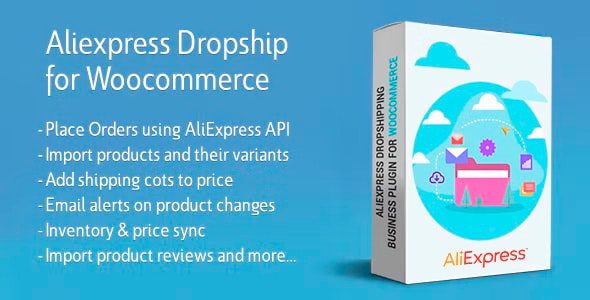
AliExpress Dropshipping Plugin for WooCommerce
Our take
Ali2Woo is the curator's pick among AliExpress importers: image editing, review import and an affiliate mode that most rivals skip. It imports less aggressively than ALD, but gives more control over what each listing looks like when it lands.
Good
- Built-in image editor and real review import from AliExpress
- Affiliate mode alongside classic fulfillment — test niches without shipping
- ePacket and content filters keep the catalog clean on import
- Pricing automations with multi-currency display
Watch out
- Chrome extension required for import and fulfillment
- Auto-sync helps, but supplier changes still need human review
- GPL copy: no vendor support, manual updates only
Works well with
There are two ways to run AliExpress dropshipping: import everything and pray, or curate a tight catalog and polish each listing. The AliExpress Dropshipping Plugin for WooCommerce — better known as Ali2Woo — is built for the second approach. Version 3.5.7 is available on this page under the GPL license.
Curation tools over bulk dumping
Import runs through a Chrome extension, but the interesting parts happen after the product lands. A built-in image editor cleans supplier photos before they reach the media library. Review import pulls real AliExpress reviews onto your product pages — instant social proof for a store with no history yet. The ePacket filter keeps only items with reasonable shipping times, and the content filter strips supplier artifacts out of descriptions on the way in.
Pricing, currency and the affiliate angle
Pricing automations apply markup formulas per category or price range, with AliExpress shipping costs folded into the displayed price. Multi-currency pricing shows visitors numbers that make sense locally, and a cash-back system covers stores that play the rebate game. Unusually for this niche, Ali2Woo also ships an affiliate mode: instead of fulfilling orders yourself, you send buyers to AliExpress and earn commission — a low-commitment way to test a niche before taking on fulfillment at all.
Keeping the catalog honest
Inventory and price auto-updates track supplier changes after import, and email alerts flag products whose supplier changed terms or ran out of stock. Order fulfillment and tracking are automated through the same extension, with bulk order support once volume picks up. Products and their variants import together, and over-stuffed supplier variations can be split into separate products.
Who Ali2Woo suits
Stores that compete on curation rather than catalog size, affiliate-curious sellers who want commissions before they want fulfillment, and anyone whose supplier photos need a cleanup pass before they are presentable.
From import to first sale
A realistic first-week workflow with Ali2Woo looks like this: shortlist products with the ePacket filter on, clean the strongest photos in the built-in editor, rewrite the title and short description so they read like your store rather than a supplier feed, then import reviews for instant proof. Pricing automations apply your margin rules on import, so the listing is sellable the moment it publishes. When the first order arrives, fulfillment through the extension fills buyer details on AliExpress and pulls the tracking number back into WooCommerce.
Honest limits
The affiliate mode is a genuinely different business, not a free lunch: commissions replace margins, and cookie windows replace customer ownership. It shines as a niche-testing step before committing to fulfillment. On the dropshipping side, auto-sync reduces but does not remove the weekly habit of checking that your top sellers still have stable suppliers behind them.
AliExpress Dropshipping Plugin free download: latest version
AliExpress Dropshipping Plugin for WooCommerce 3.5.7 is available for download here under the GPL license. Upload via Plugins → Add New → Upload Plugin, activate, and pair the Chrome extension to start importing.
Install from the zip file
Download the zip on this page. In WordPress, go to Plugins, then Add New, then Upload Plugin. Choose the file, click Install Now, then Activate. Stuck? See our step-by-step guide to installing a plugin from a ZIP.
Ali2Woo or ALD — what is the difference?
Ali2Woo focuses on curation: image editor, review import, ePacket filtering and an affiliate mode. ALD by VillaTheme is the operations choice — bulk fulfillment, tracking sync and exchange rate automation. High-volume stores lean ALD; curated catalogs lean Ali2Woo.