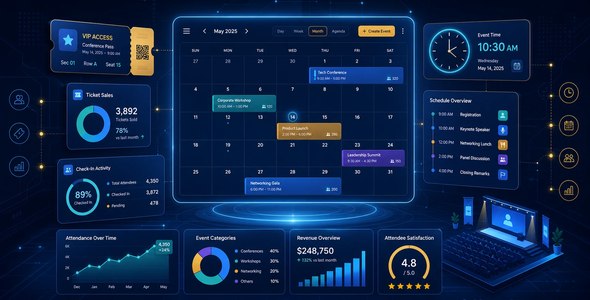
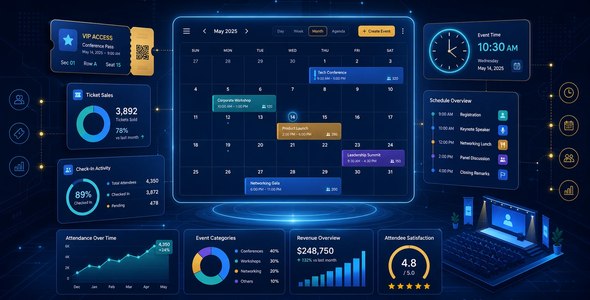
Modern Events Calendar
Our take
The events plugin that tries to be the whole stack — calendars in fifty skins, booking with payments, front-end submission, reminders — and mostly pulls it off. If your site sells seats or runs a busy events calendar, this replaces a pile of smaller tools.
Good
- 50+ calendar views: map, slider, countdown, masonry and more
- Booking with multiple tickets, coupons and tax/fee system
- Recurring events with advanced repeat rules
- Front-end event submission with user profiles
- Stripe, WooCommerce, Mailchimp and MailerLite integrations
Watch out
- Feature breadth makes settings deep
- Some skins need CSS to match your theme
- Booking add-ons expand an already big plugin
Works well with
- WooCommerce
- Elementor
- Google Calendar
- Zoom
Event sites outgrow simple calendar plugins fast: first you need tickets, then recurring rules, then reminders, then someone asks to submit their own events. Modern Events Calendar anticipates the whole arc in one plugin. Version 7.38.2 is available for download on this page under the GPL license.
Calendars in every shape
More than fifty view skins present the same events as a classic month grid, a map with location pins, a slider, a countdown to the next big date, masonry and cover layouts, agenda and hourly schedule views, or an available-spots display that drives urgency for limited seating. A shortcode creator assembles any view with its own filters — category, location, organizer, custom taxonomy — and an AJAX live search shortcode keeps discovery instant. Multiple color skins and a custom archive skin feature adapt the visuals, while featured image placeholders keep the calendar handsome even when organizers forget artwork.
Recurring reality
Real event schedules are awkward: every second Tuesday except holidays, weekly until June, daily for a festival week. MEC’s repeating engine handles single and multiple-day events, yearly through hourly recurrence, exceptional days that break a pattern, and the option to show expired events on category archives where history matters. A booking reminder cron, automatic cronjobs for housekeeping and import from Google Calendar keep the operational side running without a calendar manager’s daily attention.
Booking and ticketing built in
The booking system sells seats properly: multiple ticket types per event, a booking form builder for attendee data, coupons and discount codes, an advanced tax and fee system, early-bird pricing tiers and booking for ongoing events. QR code modules handle check-in at the door, certificates of attendance can follow participation, and payments run through Stripe or the full WooCommerce gateway ecosystem. Cancellation flows with notifications, organizer payment handling, and iCal download links in confirmation emails cover the messy operational edges that simpler plugins leave to you. Mailing integrations — Mailchimp, MailerLite, Constant Contact, Campaign Monitor — turn attendees into audiences.
Let your community contribute
Front-end event submission turns the calendar into a platform: users submit and manage events from a profile shortcode, you can charge an administration fee, route a thank-you page after submission, and auto-verify or review entries before they go live. BuddyPress integration fits the calendar into community sites, and export to CSV, Excel, JSON and XML keeps the data portable. Notifications over email, WhatsApp and Telegram keep organizers and attendees aligned without manual chasing.
Design flexibility without a developer
Calendar plugins are infamous for looking like calendar plugins no matter what theme wraps them. MEC answers with multiple color skins, a custom archive skin feature, per-view styling through the shortcode creator and custom CSS hooks when the designer wants the final ten percent. Featured image placeholders keep empty events presentable, badge markers highlight new entries, and the map, weather and countdown modules give landing pages the dynamic feel that static event lists lack. The Gutenberg editor on the event edit page means event content itself composes with the same blocks as the rest of the site.
Scaling from one meetup to a platform
The feature depth reads differently depending on where you start. A single organizer uses the calendar views, the booking form and Stripe payments — an evening of setup. A growing operation adds recurring rules, coupons and reminder emails. A platform turns on front-end submission, organizer payments and administration fees. The plugin does not force the end state on day one; it simply never becomes the reason you cannot take the next step.
Who it suits
Venues and event companies selling tickets; community sites running member-submitted calendars; course providers scheduling recurring sessions; municipalities and organizations whose “events page” quietly became infrastructure. Simple one-off meetups can stay on lighter tools — operations with seats, money and recurring schedules belong here.
The bottom line
Modern Events Calendar is the events plugin for organizations whose calendar became a business: views for every presentation, booking that handles real ticketing, and a submission system that lets a community contribute. If events drive your revenue or your mission, this is the toolkit that grows with both.
Modern Events Calendar free download: latest version
Modern Events Calendar 7.38.2 is available for download here under the GPL license. Upload via Plugins → Add New → Upload Plugin, activate, create your first event and pick the view skin that fits your design.
Install from the zip file
Download the zip on this page. In WordPress, go to Plugins, then Add New, then Upload Plugin. Choose the file, click Install Now, then Activate. Stuck? See our step-by-step guide to installing a plugin from a ZIP.
What event features does Modern Events Calendar include?
Single and multi-day events, advanced recurring rules, booking with a multiple-ticket system, coupons, taxes and fees, QR-code check-in and a booking form builder — plus more than fifty display views from map to countdown to masonry.
Can visitors submit their own events?
Yes. Front-end submission with user profiles lets a community or venue members add events without touching wp-admin — moderated before going live if you choose.
How do payments work?
Stripe integration is built in, and the WooCommerce connection opens every store gateway — with Mailchimp and MailerLite integrations handling the marketing side.
Is Modern Events Calendar free?
A free version exists on the WordPress directory with the core calendar and views. The Pro license adds booking and ticketing, the full view library and the integrations.
Modern Events Calendar vs Eventin Pro: which is better?
MEC is the calendar-presentation champion — fifty-plus skins and deep recurring rules for venues with busy schedules. Eventin Pro is the ticketing-workflow specialist — WooCommerce-native sales, QR check-in and Zoom webinars feel tighter. Display-led sites lean MEC; ticket-led businesses lean Eventin.
Some calendar skins clash with my theme. Is that normal?
Common and fixable — fifty skins means some expect neutral surroundings. Pick the skin closest to your design and adjust with a few CSS lines; the booking engine underneath is unaffected by presentation choices.