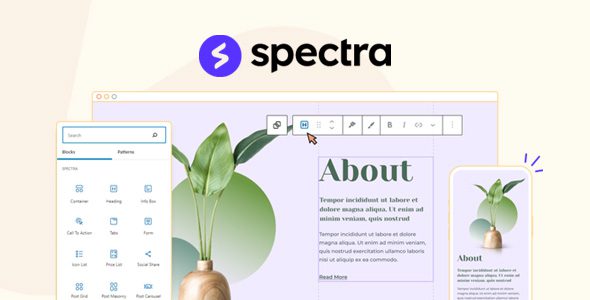
Spectra Pro
Our take
The block-editor answer to Elementor, from the Astra team: no external framework, just-in-time assets and clean output that hits strong Core Web Vitals scores. If your sites live or die by speed, this is the builder that does not fight the platform.
Good
- Built on the native block editor
- 100+ pre-built website and page templates
- Just-in-time asset loading, zero bloat
- React-powered fast editing
- Local Google Fonts hosting
Watch out
- Block editor paradigm differs from classic builders
- Pro features layer on free Spectra
- Fewer third-party addons than Elementor
Works well with
- Block editor
- Spectra One
- Astra
Classic page builders bolt a second editor onto WordPress and charge performance for the privilege. Spectra Pro takes the other path: it extends the native block editor into a full visual website builder, so the tool you build with is the tool WordPress already ships. Version 1.3.2 with Blocks Pro 1.0.4 is available for download on this page under the GPL license.
The native editor, supercharged
Everything happens inside the familiar WordPress editor — the same interface, now with advanced design options, organized block settings and collapsable tabs. Over a hundred pre-built websites and page templates import with one click, then customize with complete design freedom. Because there is no external code dependency, editing stays fast and stable, and skills transfer directly to the core editor.
Performance as architecture
Spectra was engineered around Core Web Vitals: a just-in-time markup compiler loads assets dynamically — only for the blocks a page actually uses. Fewer external scripts, small file sizes, React-powered components and locally hosted Google Fonts add up to sites that score 100 in CWV testing and keep both visitors and search engines happy. Clean code written to current standards plays flawlessly with other plugins.
Who it suits
Sites where speed is a ranking or conversion factor, developers who want block-editor workflows instead of proprietary builders, agencies shipping lean client sites, and anyone already living in Gutenberg who wants builder-level design power without leaving it.
Spectra Pro free download: latest version
Spectra Pro 1.3.2 with Blocks Pro 1.0.4 is available for download here under the GPL license. Upload via Plugins → Add New → Upload Plugin, activate, open any page in the block editor and import a template to start.
Install from the zip file
Download the zip on this page. In WordPress, go to Plugins, then Add New, then Upload Plugin. Choose the file, click Install Now, then Activate. Stuck? See our step-by-step guide to installing a plugin from a ZIP.
Is Spectra a separate page builder?
No. It extends the native WordPress block editor, so you build inside the interface WordPress already provides — content stays portable standard blocks.
Are there ready-made designs?
Yes. Over a hundred pre-built websites and page templates import with one click and customize freely, which collapses the blank-canvas problem.
How does it affect site speed?
Just-in-time asset loading means each page loads only the CSS and JavaScript its blocks actually use, and Google Fonts can self-host — the output is among the leanest of any builder.
Is Spectra free?
The core Spectra plugin is free with a solid block library. Spectra Pro adds the advanced blocks, the template library, popup and loop building, and the dynamic features.
Spectra Pro vs Elementor: which is better?
Elementor is the larger ecosystem — more widgets, more addons, more tutorials. Spectra keeps everything in the native block editor, which means leaner output, no builder lock-in and skills that transfer to core WordPress. Established builder workflows stay with Elementor; block-first sites increasingly choose Spectra.
Spectra Pro vs GreenShift: which block toolkit should I pick?
Spectra favors clean, fast, conventional site building with strong templates. GreenShift pushes further into animation, marketing blocks and schema types. Business sites lean Spectra; affiliate and animation-heavy projects lean GreenShift.