Smart Slider 3 Pro
Our take
The slider plugin that behaves like a small page builder: layers, a visual timeline and dynamic slides from posts or WooCommerce. Performance is engineered in — image optimization and SEO-friendly markup — which older slider plugins never managed.
Good
- Visual layer editor with real-time preview
- Timeline-based layer animations
- Dynamic slides from posts and products
- Large template and slide library
- Image optimization and SEO-friendly output
Watch out
- Editor has its own learning curve
- Complex sliders still need image discipline
- Pro templates are the real draw
Works well with
- WooCommerce
- Elementor
- Block editor
- YouTube
- Vimeo
Sliders get a bad reputation because most were built a decade ago: slow, rigid, painful to design in. Smart Slider 3 Pro is the counter-example — a responsive slider plugin whose editor feels like a compact design tool, and whose output is engineered for speed. Version 3.5.1.40 is available for download on this page under the GPL license, with the template library included.
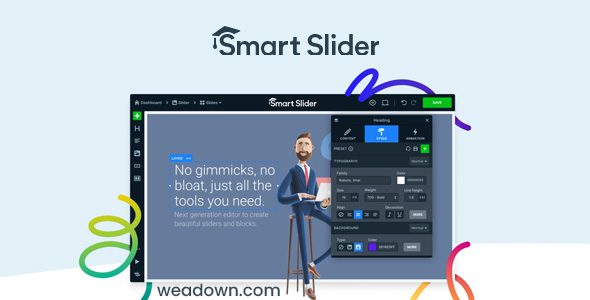
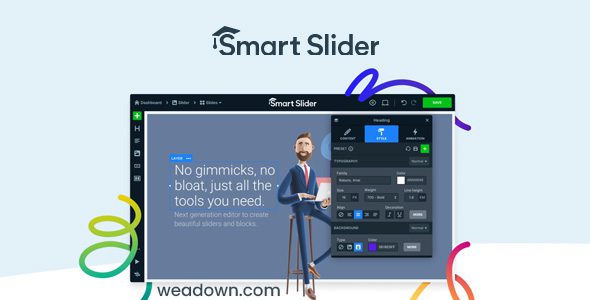
Design with layers, not settings
The editor works visually: drag layers — headings, text, images, buttons, videos — onto the slide, position them freely and see the result in real time. A visual timeline controls layer animations, so entrance effects, delays and chains are designed rather than guessed from dropdowns. Device-specific options adjust each layer per screen size, and smart image cropping keeps compositions intact on mobile.
Dynamic slides and content sources
Sliders do not have to be hand-made: the dynamic content generator builds slides from WordPress posts, custom post types or WooCommerce products, so a hero slider updates itself when new content publishes. YouTube and Vimeo slides mix video into the same slider, lightbox options extend images, and actions plus events add interactivity beyond simple links.
Templates and performance
The template and slide library — included in this package — provides finished designs for heroes, product showcases, post carousels and full-width headers, cutting most projects to import-and-replace. Underneath, image optimization, dynamic height and clean markup keep sliders fast and SEO friendly, which is precisely what separates this generation of slider plugins from the old one.
Who it suits
Designers who want animated headers without code, shops needing product carousels that update themselves, and agencies building client sites where a slider must look custom without costing custom hours.
Smart Slider 3 Pro free download: latest version
Smart Slider 3 Pro 3.5.1.40 is available for download here under the GPL license with the template library. Upload via Plugins → Add New → Upload Plugin, activate, pick a template and replace the content with your own.
Install from the zip file
Download the zip on this page. In WordPress, go to Plugins, then Add New, then Upload Plugin. Choose the file, click Install Now, then Activate. Stuck? See our step-by-step guide to installing a plugin from a ZIP.
Is Smart Slider 3 free?
A capable free version exists in the WordPress directory. The Pro version adds the full template library, timeline layer animations and dynamic slides from posts and products.
Smart Slider 3 Pro vs Slider Revolution: which is better?
Slider Revolution is the cinematic powerhouse with the steeper learning curve; Smart Slider 3 Pro is the friendlier editor with real-time preview, SEO-friendlier output and lighter pages. Teams that want results without a course lean Smart Slider.
Can sliders pull content automatically?
Yes — dynamic slides can be generated from posts, WooCommerce products and other sources, so the slider updates itself as you publish.
How good is the template library?
Large, and honestly the real draw of the Pro version — most sliders start from a template rather than a blank canvas.
Is the editor hard to learn?
It has its own logic — layers plus a timeline for animations — but the real-time preview makes experimentation cheap. Expect an evening, not a week.
Will sliders hurt my page speed?
The plugin optimizes images and outputs clean markup, but a slider is only as light as the images you feed it. Compress them before upload.
How do I place a slider on a page?
Through the included block or shortcode — it works with the block editor and every major page builder.