AIomatic
Our take
The veteran bulk-content engine — powerful exactly as far as your editorial discipline goes. Unedited mass output is a Google penalty, not a strategy; with a human edit pass, this becomes a serious publishing asset.
Good
- Bulk generation from title lists and prompt templates
- AI editing: rewrite, expand, summarize existing posts
- Front-end chatbot module included
- Automation: scheduled generation, auto-append
- Works with OpenAI or the cheaper AiomaticAPI
Watch out
- Requires your own API key and budget
- Bulk misuse risks Google's scaled-content spam policy
- GPL download comes without vendor support
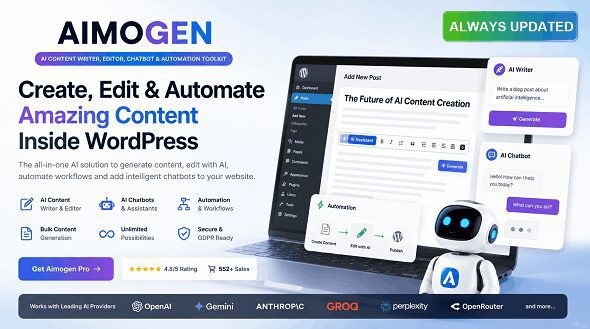
AIomatic (also sold as Aimogen Pro) is one of the oldest AI content plugins for WordPress: bulk post generation, AI-assisted editing, a chatbot and automation rules around OpenAI’s models or the developer’s own AiomaticAPI. This page offers the plugin for download under the GPL license.
Bulk generation as the core feature
The signature workflow: paste a list of post titles and a prompt template, and the plugin drafts a series of posts matching your requirements — with configurable post status, automatic categories, and optional AI-written introductions or conclusions appended to existing posts. A shortcode embeds generated content anywhere, and the editing module rewrites, expands or summarizes text you already have. The chatbot module puts a GPT-powered assistant on the front end for visitors.
Where it genuinely helps
Used surgically, AIomatic earns its place: first drafts that a human then edits, meta descriptions and product blurbs at catalog scale, FAQ expansions, translation and summarization passes. The automation rules — scheduled generation, auto-append to published posts — turn it into a content assembly line for sites that publish daily.
A workflow that keeps the domain safe
The safe pattern is small batches with a human gate. Generate five to ten drafts at a time into draft status — never straight to publish — and run each through an edit checklist: verify every name, number and claim (models invent specifics confidently), cut the generic filler paragraphs, add the internal links to your own related pages that no generator knows about, and check the piece says something the top ten results do not. Schedule approved posts across days instead of mass-publishing a hundred at once; sudden content explosions are exactly the pattern spam classifiers watch for. Track what actually gets indexed in Search Console — if Google consistently refuses a batch, that is feedback about quality, not bad luck. This discipline takes minutes per post and is the entire difference between an AI-assisted site and an AI-generated liability.
The honest warning about bulk AI content
We say this as a site that lives from search traffic: Google’s spam policy explicitly targets scaled content abuse, and unedited mass generation is the fastest way to turn a domain into a case study. The plugin is a tool, and the tool is not the problem — publishing hundreds of unreviewed AI pages is. Keep a human edit pass on everything that ships, and AIomatic is an asset; skip it, and no plugin will save the domain.
AIomatic vs AI Power
AI Power counters with a wider model selection (GPT, Gemini, Mistral, Anthropic and more), form and image generators, and WooCommerce product writing. AIomatic is the more focused content engine with deeper bulk-generation and automation tooling. Heavy bulk workflows favor AIomatic; mixed AI tasks and store integration favor AI Power.
Who it suits
Publishers with an editorial process that want drafts at scale; catalog sites filling in product descriptions; site owners adding an AI chatbot without a separate SaaS.
Protect the budget side too: set a monthly usage limit in your OpenAI dashboard before the first bulk run, so a misconfigured automation rule cannot burn through credit overnight. AiomaticAPI exists precisely for cost-sensitive bulk work — compare per-token pricing on your typical article length before committing. And keep your prompt templates in a text file with dates; when output quality shifts after a model update, versioned prompts make the cause obvious.
AIomatic free download: latest version
This page offers the GPL-licensed release of AIomatic, checked before publication. Upload via Plugins → Add New → Upload Plugin, add your OpenAI or AiomaticAPI key, and start with a small batch before scaling up.
Install from the zip file
Download the zip on this page. In WordPress, go to Plugins, then Add New, then Upload Plugin. Choose the file, click Install Now, then Activate. Stuck? See our step-by-step guide to installing a plugin from a ZIP.
Is AIomatic free?
No. AIomatic is a premium plugin, distributed here under the GPL license. You also need your own OpenAI or AiomaticAPI key.
Is bulk AI content safe for SEO?
Only with human editing. Google's spam policy targets scaled content abuse — unedited mass generation risks the whole domain. Use the plugin for drafts and keep a review pass on everything published.
AIomatic vs AI Power — which one?
AIomatic focuses on bulk generation and automation rules. AI Power offers more models, image and form generators, and WooCommerce integration.
What can the chatbot module do?
It places a GPT-powered chat assistant on your site's front end, answering visitor questions without a separate chat SaaS.
How do I install it?
Upload the ZIP via Plugins → Add New → Upload Plugin, activate and add your API key. Our plugin installation guide covers the steps.