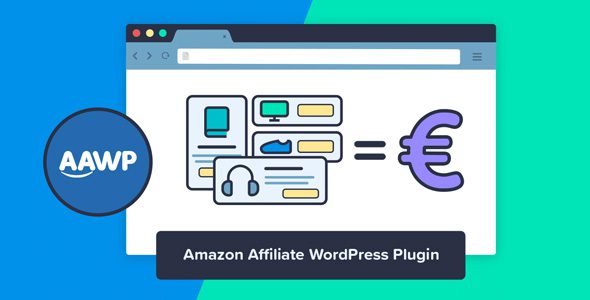
AAWP (Amazon Affiliate for WordPress)
Our take
The reference plugin for Amazon Associates sites: pick it if you run review or roundup content and already have (or can qualify for) Product Advertising API access. Skip it until your Associates account can generate API keys — without them it shows nothing.
Good
- Live prices, stock and Prime badges straight from the Amazon API
- Bestseller lists that update themselves
- Geotargeting sends each visitor to their local Amazon store
- Templates plus PHP hooks for fully custom layouts
- AMP-safe output
Watch out
- Useless until your Associates account qualifies for API keys
- No automatic updates without a license key
- Custom templating has a learning curve
Amazon Associates pays some of the most reliable commissions in affiliate marketing, but the default tooling is stuck in 2010: SiteStripe gives you a plain text link or an iframe banner that clashes with every theme you own. AAWP (Amazon Affiliate for WordPress) replaces that workflow with product boxes, comparison tables and bestseller lists that pull live data from Amazon’s Product Advertising API and actually look like part of your site.
What it does
AAWP connects your WordPress site to your Amazon Associates account and renders products with real prices, images, Prime badges and discount labels. Because everything comes from the API, a price drop or a product going out of stock is reflected on your page automatically instead of silently rotting there for months.
Key features
- Product boxes in several layouts with live price, image, Prime status and discount badge
- Bestseller and new-release lists that refresh themselves from Amazon data
- Comparison tables for side-by-side product roundups
- Geotargeting that forwards visitors to their local Amazon storefront, so UK or German traffic isn’t wasted on amazon.com links
- Pre-built templates plus full PHP templating when you want a custom layout
- AMP-compatible output, SSL support and extra commissions on referred Prime sign-ups
- Shortcode and function API, so boxes can be dropped into posts, widgets or theme files
Who it’s for
Niche review sites, “best X for Y” roundup blogs and any content project monetized through Amazon Associates. The comparison-table block alone is the reason most buyers pick AAWP over free alternatives. It is not for you if you don’t have an Amazon Associates account yet — without it the plugin has nothing to display.
Things to know
The API key is the real barrier. Amazon only unlocks Product Advertising API credentials for accounts that have generated qualifying sales, which is a chicken-and-egg problem for brand-new sites. Plan to start with plain links and switch to AAWP once the account is approved for API access.
License notes. Updates and vendor support are tied to a license key from the developer. The plugin itself is fully functional — templating, geotargeting and lists all work — but without a key you update manually, and Amazon’s API rules change often enough that staying current matters.
AAWP vs plain Amazon links
A raw SiteStripe link earns the same commission per click as an AAWP box — the difference is click-through rate and maintenance. A styled box with a live price, a Prime badge and a visible discount converts noticeably better than blue underlined text, and a comparison table keeps readers on your page instead of sending them to Amazon to compare. Maintenance is the quieter win: when Amazon changes a price or pulls a product, plain links keep lying to your readers, while API-driven boxes simply show the truth. For a site with more than a handful of reviews, that alone pays for the setup time.
Placement tips that work
The highest-earning pattern on review sites is a product box directly under the first mention of the product, a comparison table near the top for skimmers, and a bestseller list in the sidebar for undecided visitors. Avoid stacking more than two boxes per viewport — beyond that, CTR drops instead of growing.
AAWP free download: latest version
Below you can get AAWP 5.1.2 free, released under the GPL. Every archive here is scanned with ClamAV plus our own heuristic checks and test-installed in an isolated sandbox before it goes live. The download works without any license key.
Install from the zip file
Download the zip on this page. In WordPress, go to Plugins, then Add New, then Upload Plugin. Choose the file, click Install Now, then Activate. Stuck? See our step-by-step guide to installing a plugin from a ZIP.
Is AAWP free?
AAWP is a premium plugin sold by its developer. Here you get it free under the GPL — the same code, redistributed legally. What you don't get is the vendor's update server and support ticket access.
Do I need an Amazon API key to use AAWP?
Yes. AAWP pulls product data through Amazon's Product Advertising API, so you need an Associates account with API access enabled. Amazon typically grants API keys after your account has made its first qualifying sales.
Does AAWP work without an Amazon Associates account?
No. Every box, list and table is rendered from API data tied to your tracking ID, so an approved Associates account is a hard requirement.
Will AAWP slow down my site?
Not in normal use. Product data is cached, so pages don't hit the Amazon API on every visit, and the output is AMP-compatible for mobile speed setups.
How do I update AAWP downloaded here?
Download the new version's zip from this page and upload it over the old one in Plugins → Add New → Upload. Your settings, boxes and shortcodes survive the replacement.
Does AAWP support geotargeting for international visitors?
Yes. It detects the visitor's country and routes clicks to the matching Amazon storefront, which is the main way to stop losing commissions on non-US traffic.