Advanced Shipment Tracking Pro
Our take
Cuts the single most common support ticket of any store — "where is my order" — by putting tracking directly into order emails and the customer account. The automation rules are the real win: tracking added, order fulfilled, customer notified, no manual status juggling.
Good
- 300+ shipping providers with auto-detection
- Per-item tracking and partial shipment statuses
- CSV import and API for bulk fulfillment
- Tracking widget in customer account and emails
Watch out
- WooCommerce-only — useless on a non-store site
- Full value requires disciplined fulfillment workflow
- GPL download comes without vendor support
Ask any store owner what their most common support ticket is, and the answer is always the same: “where is my order?” Advanced Shipment Tracking Pro attacks that question at the root — tracking information goes straight into the order, the confirmation email and the customer account, before the customer ever thinks to ask. This page offers the plugin for download under the GPL license.
What the Pro version does
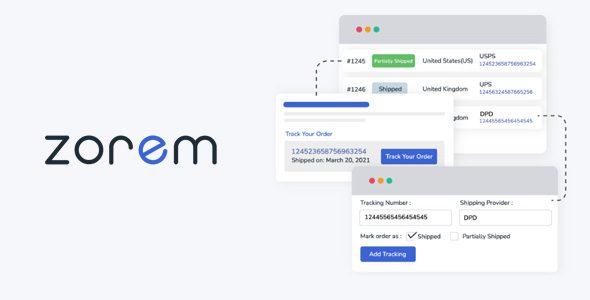
The plugin adds a tracking layer to WooCommerce orders. You enter a tracking number — on the order screen or straight from the orders list — and the plugin auto-detects the carrier from a built-in list of over 300 shipping providers. Orders can be marked fulfilled automatically when tracking is added, tracking works per item for split shipments, and custom order statuses like “Partially Shipped” keep the workflow honest. Customers get a tracking widget in their account and in the order emails, responsive on mobile. For volume operations there is CSV import, a shipment tracking API, autocomplete via API, and integrations with WooCommerce Shipping, ShipStation and Ordoro. Tracking data can even be exported to PayPal, which matters for seller protection disputes.
Why tracking automation pays for itself
Every “where is my order” ticket costs support time, and every unanswered one costs a chargeback risk. Stores that put tracking into the order email typically see those tickets drop sharply — the customer self-serves from the link instead. The PayPal export is the quieter win: payment disputes over “item not received” are won with tracking data, and having it synced automatically beats digging through orders during a dispute window. If you are building out a store, our WooCommerce extensions section covers the rest of the fulfillment stack.
Practical notes from store operations
Set up your carriers first: map the shipping methods you actually use to providers in the list, and add custom entries for regional couriers — the white-label provider option keeps the tracking link on-brand. If you fulfill from the orders list in bulk, the CSV import is the workflow to standardize on: export from your warehouse software, import, done. One caution for split shipments: per-item tracking is excellent, but make sure your packing process actually records which item went in which box, or the “Partially Shipped” status will mislead customers instead of informing them. Test the customer-facing widget from a phone — most buyers check tracking on mobile while waiting for the courier.
Who it suits
Any WooCommerce store that ships physical goods; stores scaling past manual fulfillment; operations with warehouse software that exports CSV; sellers who need PayPal dispute protection with automatic tracking sync.
Tuning the customer-facing side
The tracking email is a marketing touchpoint most stores waste. Customize the WooCommerce order emails so the tracking block sits prominently — customers open shipment emails at rates marketing mail can only dream of, and a clean tracking link inside reinforces that your store is run professionally. If you ship with regional couriers the carrier list does not know, add them as custom providers with a tracking URL template, so the link in the customer account actually resolves somewhere useful. Finally, connect the tracking page to your support workflow: when a ticket does come in, the fulfillment dashboard shows the shipment state immediately, turning a ten-minute investigation into a ten-second answer.
Advanced Shipment Tracking Pro free download: latest version
This page offers the GPL-licensed release of Advanced Shipment Tracking Pro, checked before publication. Upload it via Plugins → Add New → Upload Plugin, activate, add tracking to your next order, and the customer notification goes out with the tracking link already inside.
Install from the zip file
Download the zip on this page. In WordPress, go to Plugins, then Add New, then Upload Plugin. Choose the file, click Install Now, then Activate. Stuck? See our step-by-step guide to installing a plugin from a ZIP.
Is Advanced Shipment Tracking Pro free?
No. The Pro version is premium, distributed here under the GPL license.
Which carriers does it support?
Over 300 shipping providers with auto-detection from the tracking number, plus custom and white-label providers.
Can customers see tracking without contacting support?
Yes — a tracking widget appears in the customer account and in order emails, with a responsive layout for mobile.
Can I bulk-import tracking numbers?
Yes, via CSV import, and there is an API for automated fulfillment workflows. Tracking data can also be exported to PayPal.
How do I install it?
Upload the ZIP via Plugins → Add New → Upload Plugin and activate. Our plugin installation guide covers the steps.